INSIDE THIS AI SKILL
The craft behind its decisions.
These are the principles and procedures the skill applies. You can understand the reasoning without having to perform every production task yourself.
Reviewers judge structure in a rough board and finish in a finished cut.
Which is why the board is where structural problems get found. Show someone a polished render and they will tell you about the grade, not about the scene that has no reason to exist.
01 / Storyboarding
From script to animatic
- 01Break the script into scenes and shots
A scene is one location and one continuous stretch of time. A shot is the smallest unit you would want to replace on its own.
- 02Board against canon, not from imagination
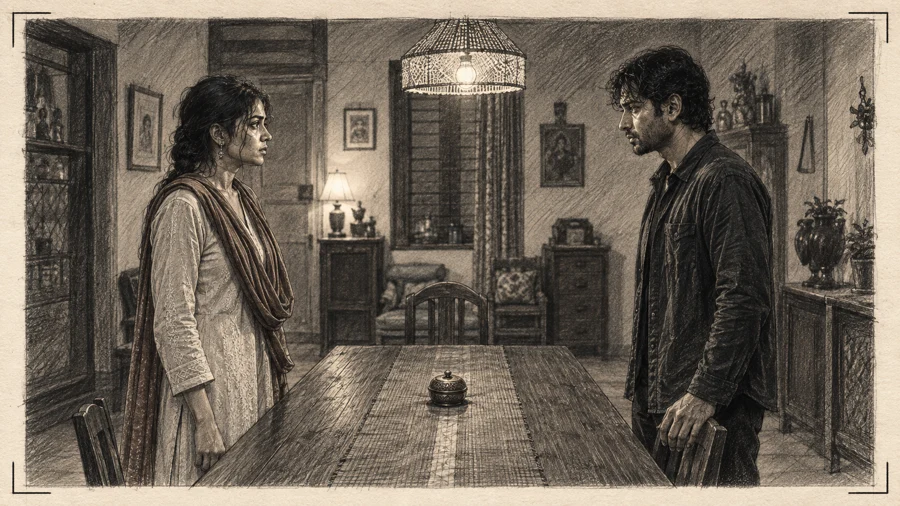
Each panel should show the approved people in the approved room. A board of generic figures tests nothing.
- 03Write continuity requirements onto the shots
Where the door is, who is camera-left, what is on the table. Stated here, inherited later, checked afterwards.
- 04Cut it to time with the dialogue in place
The first honest test of whether the episode fits its length, and the moment most episodes turn out to be too long.
- 05Watch it end to end as an episode
Hook, escalation, reveal, ending. Reviewing a folder of panels is not the same test.
- 06Attach notes to shots, not to the episode
A note on a shot scopes the recompile to that shot. A note on the episode reopens the episode.
- 07Close both gates deliberately
Creative approval says the plan is right. Cost authorization says this much may be spent making it. They are separate sentences and both have to be said.
02 / Storyboarding
What to actually look for
- Does the hook land in the first three seconds, or the first eight
- Is there a scene that could be removed without anyone noticing
- Does each shot have a job, or is it coverage for its own sake
- Is the geography legible without a master shot
- Does the product read, in a branded campaign - actually read, at phone size
- Does the episode end one beat before a decision, rather than after it
- Which shots are hard, and are they worth what they will cost
03 / Storyboarding
Cutting scope where it helps
When the estimate comes back too high, the instinct is to lower quality everywhere. That is usually the wrong move, because it degrades the whole episode to save money concentrated in a few shots.
The plan should say which shots dominate the estimate - typically night, movement, two people in frame, and hands. Removing or simplifying three of those is often the entire saving, and the rest of the episode is untouched.
Questions about this skill
Can the AI Director choose the visual treatment from my script?
Yes. The Storyboard Skill helps translate the script and intended mood into panels with framing, camera movement, light sources, subject placement and pacing notes. You do not need to draw the boards or write technical shot directions to start. Rendering remains separate from the storyboard and cost review.
How finished should a storyboard be?
Finished enough to judge structure and state, and no more. An over-polished board costs real money and invites the wrong review - people start commenting on the render instead of on whether the scene works.
Can I skip the animatic for a short piece?
The gate does not disappear but the work behind it scales. A four-shot branded asset needs far less boarding than a five-episode arc. What stays constant is that a named person approves the plan and the spend before full-quality rendering.
Who should be in the board review?
For serialized work: the creator and whoever holds the budget. For a branded campaign: the creative approver, the brand or legal approver, and the budget holder. Each signs against the version they saw.
What if the board is approved and the render is still wrong?
That is what continuity QA and targeted repair exist for. Approving a plan does not commit you to accepting a bad execution of it, and a shot that misses its references is repaired as a shot.
Should the board be generated or drawn?
Whatever gets you a board you can judge. Generated panels have the advantage of being built against canon, so they show the actual approved people in the actual approved room - which makes the animatic a real test rather than a sketch of intent.