HOW TOSHEO WORKS
Your story. Our workflow.
You hold the final cut.
Bring the brief. Your AI Director prepares the story, characters and storyboard. Review the story and assets yourself or delegate their approval with Auto mode, then authorize production and download the finished work for your own distribution.
Free planning. Paid rendering after your approval.
From the first idea to the final file.
FICTIONAL WORKFLOW EXAMPLE
Illustrative artwork and production states. This page explains the workflow; it does not generate, approve or download media.
YOU SET THE DIRECTION
Start with your story.
Bring an idea, a story brief or a developed script. Choose the video format, episode count and primary language. Add the audience, tone and references that make the project yours. A brand campaign begins with the same essentials, plus product assets, claims and usage requirements.
WHAT MOVES FORWARDExplore the greenlight briefA clear production brief, with your settings attached.
THE STARTING POINTA woman returns home with a keepsake that could change what her family believes.
- Video format
- 9:16 / vertical
- Pilot scope
- 5 episodes
- Primary language
- Hindi / requested
AI DIRECTOR BUILDS. YOU CHOOSE THE REVIEW MODE.
AI Director Give your story a world.
The AI Director develops the story structure, character sheets, locations and supporting asset references from your brief. Review and approve this creative preparation yourself, or enable Auto mode to let the AI Director review and approve it on your behalf. For a campaign, it also prepares product references and brand rules. The approved decisions become the shared creative canon.
WHAT MOVES FORWARDSee how creative canon worksA story world, cast and reference library approved by you or your AI Director in Auto mode.
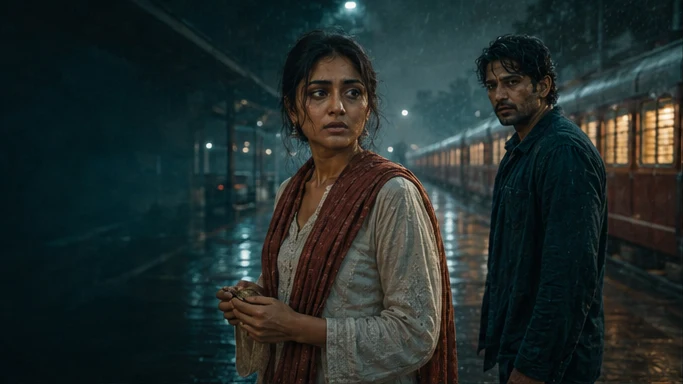
AnayaThe returning daughter KabirThe keeper of a secret Your review or AI Director approval in Auto mode
SEE THE PLAN BEFORE THE RENDER
See every scene take shape.
The AI Director turns the approved direction into a script, shot plan and storyboard. Review the framing, dialogue, action and transitions. An animatic brings the planned sequence together so you can assess pacing before full-quality production. Request changes to the scenes that need work.
WHAT MOVES FORWARDExplore storyboards and animaticsA storyboard and animatic you can review scene by scene.
SCENE PLAN / ILLUSTRATIVE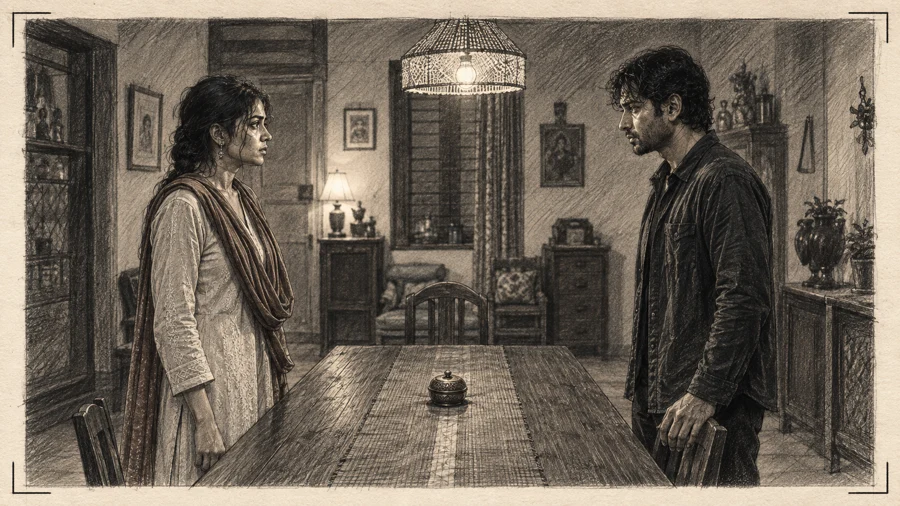
- 01Frame the scene
- 02Shape the dialogue
- 03Review the pacing
YOUR DECISION RELEASES THE NEXT STEP
Approve the plan. Authorize the spend.
Check the storyboard and agreed production scope, with the characters and assets approved in your chosen review mode. Send changes back where needed. Once the creative plan is ready, a named budget holder explicitly approves the rendering cost. Planning through the storyboard and animatic is free; full-quality rendering is a paid, scoped engagement.
WHAT MOVES FORWARDUnderstand the eight approval gatesAn approved creative plan and an authorized rendering scope.
- Story direction & charactersReviewed
- References & source rightsReviewed
- Storyboard & animaticReviewed
Rendering scope + costAwaiting your authorizationChanges needed? Return the affected work for revision.
AI DIRECTOR PRODUCES. PEOPLE REVIEW.
Bring the approved story to life.
The AI Director coordinates generation and assembles the shots, dialogue, sound and captions into the video. Review the primary cut, then the agreed language and market versions. Continuity checks assist the review, and targeted repairs address the affected work while preserving accepted material. You approve the final delivery.
WHAT MOVES FORWARDSee how targeted repair worksAn accepted final cut, with the agreed language and format versions.
PRIMARY CUT / ILLUSTRATIVEApproved pictureDialogue & soundCaptionsMaster + language review before delivery
YOUR WORK. YOUR DISTRIBUTION.
Download it. Make it yours to share.
Receive the approved masters, agreed variants, captions and supporting rights records in a delivery package. Download the files and distribute through your own channels within the agreed rights and usage scope. You retain control of your original story and outputs, subject to the production terms. Tosheo does not publish on your behalf.
WHAT MOVES FORWARDExplore delivery packagesA delivery package you can hand to your publishing or distribution team.
YOUR DELIVERY PACKAGE
- Approved video masters
- Agreed format & language versions
- Captions & cover frames
- Rights records & delivery manifest
Download after final acceptance
Six stages explain the journey. Eight approval gates govern the decisions inside it, including rights, cost, language review and final acceptance.
See all eight approval gatesTHE STORY STAYS YOURS
Your release. On your terms.
Tosheo does not claim ownership of your original story. You retain control of your world and outputs, subject to the production terms and the permissions attached to the work. Download the accepted package and choose where to release it within that agreed scope.
Read the content and rights policyOne workflow. Two ways to put it to work.
Serialized Story Production
For independent creators, publishers and production houses making original microdrama, shorts and connected stories with the AI Director. Agree the local-language tracks and delivery formats with the production.
02 / Branded Story CampaignsBranded Story Campaigns
For brand buyers, agencies and production houses building connected campaigns. Keep product references, claims, market versions and brand approvals in the same flow.
BEFORE YOU BEGIN
A few practical questions.
Do I need a complete script to start?
No. You can begin with a short idea or story brief and develop it into a production plan. If you already have a script, story bible or brand brief, bring that instead. Choose whether to review the proposed story and assets yourself or let the AI Director approve that preparation in Auto mode. The storyboard and rendering scope are reviewed before production.
Can the AI Director review and approve the story and assets for me?
Yes. Enable Auto mode for story and asset preparation to let the AI Director develop, review and approve that work on your behalf using your brief and creative direction. If you prefer to make those decisions yourself, choose manual review. Auto mode for this stage does not authorize rendering spend, clear source rights or accept final delivery.
What can I choose in the brief?
Choose the video format, episode count and primary language, then describe your audience, tone and creative direction. Deliverable specifications and additional language or market versions are agreed in the production scope. A language selection is a planning request, not a promise of an accepted language track.
What is free, and when do I pay?
Planning is free and self-serve through the greenlight brief, creative canon, storyboard and animatic. Full-quality rendering is paid and scoped. It starts only after storyboard review and explicit cost authorization at gate 5 of the eight approval gates.
Can I ask for changes before approving?
Yes. Review the proposed characters, assets, script and storyboard, and request corrections to the affected work. After rendering, targeted repair can address a shot, region, caption or language track. A replacement still needs review, and additional work follows the agreed scope and cost authorization.
Who owns the story and the finished video?
You retain control of your original story and outputs, subject to the production terms and the rights attached to source assets, voices, music and model outputs. Tosheo does not claim ownership of your story. The delivery records identify permitted uses and restrictions; Generation alone does not guarantee copyright protection in every jurisdiction.
Will Tosheo publish or distribute the video for me?
You receive the approved delivery package and distribute through your own channels within its permitted usage scope. Tosheo does not automatically post, operate a viewer platform or act as your distributor. Primary-master, language-track and final-delivery reviews happen before handover.
Start with the story you want to tell.
Bring a new idea or a developed brief. Shape the plan for free and approve production when you are ready.