02 / FLUX
Where FLUX fits in your story
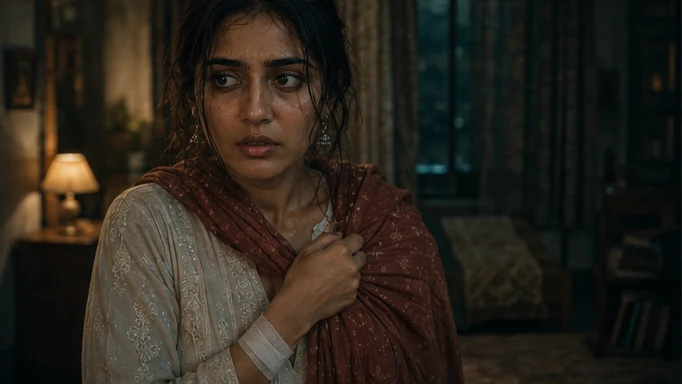
FLUX fits character-sheet development, location plates, storyboard frames and campaign stills. Tosheo’s AI Director can organise image exploration around specific decisions, select references through your review mode and attach the resulting assets to the scenes that need them.
Develop a character reference that can survive a close-up, a wide shot and a return to the same location.
- Identity
- Set the face, hair and silhouette together.
- Costume
- Record the approved clothing for this story day.
- Handoff
- Carry selected stills into the storyboard and video brief.
03 / FLUX
Plan the FLUX handoff
The AI Director prepares the image request from the scene plan, using AI Skills to specify the framing, performance or sound intention. You can review creative preparation or use Auto mode within your chosen scope. The model receives a bounded job, with the references and constraints that matter to that asset.
For an independent creator, this connects a creative decision to the next production step. For a publisher, it keeps recurring assets attached to the episode plan. Brand buyers can carry approved product references into the shot; production houses can retain the treatment and handoff requirements across the sequence.
04 / FLUX
The most consequential stage is the cheapest one
A serialized production has an inverted cost curve. The decisions that cost least to make are the ones that propagate furthest: who this person is, what this room looks like, what the show's light does. They are made in images, before anything moves.
That is why canon approval is a blocking gate. Not because images are precious, but because everything downstream inherits them, and an unapproved reference propagating into a season is the single most expensive mistake available.
- 01Explore widely, cheaply
Before approval, exploration is where a low attempt price genuinely pays. Nothing is inherited yet.
- 02Narrow to a reference set
Face, body, expression range, costume states per story day. A set, not a single flattering image.
- 03Test it against the hard cases
Profile, low light, the framing the show actually uses. A reference that only holds in a three-quarter portrait will fail in episode two.
- 04Approve it as canon
A named approver, a version, and from that point every shot inherits it rather than re-describing it.
- 05Build locations the same way
Approved architecture, layout and lighting for each recurring space, so the family room is the family room all season.
05 / FLUX
Rights attach here first
A reference image is a source asset, and it carries a rights position like any other. If a reference was built from material someone else owns, every shot that inherits it inherits the problem too - which is precisely why model restrictions on references are a routing input rather than a footnote.
- No references built from a real person's likeness without verified permission
- No references derived from a franchise or another production's artwork
- No source asset used as a reference where the grant forbids model use
- No approved reference whose provenance cannot be stated in the manifest
06 / FLUX
Why we will not rank providers
Provider documentation
Capabilities checked against official sources. Story applications are Tosheo’s editorial examples, not comparative benchmarks.
Black Forest Labs: FLUX image capabilitiesQuestions before production
Can I supply my own reference images?
Yes, and it is often the better route, particularly for locations you know or a look you have already developed. They enter the rights ledger as source assets with an ownership position, and they are approved as canon like anything generated.
How many reference images does a character need?
Enough to survive the coverage the show actually uses. A single portrait is the common mistake: it holds in one framing and collapses in profile, in low light, and in the close-ups a vertical drama is mostly made of.
What happens if I change a character reference later?
It is a scoped canon change. You see which episodes, shots and language tracks would be affected and which are already accepted, and accepted work is preserved by default unless you explicitly include it.
Do you use image models for storyboards too?
Yes. Boards are generated against canon so a panel shows the right people in the right room, which is what makes the animatic a genuine test of the plan rather than a mood board.
Is the image model the same as the video model?
Not necessarily, and often not. The router treats modality as the first question, so image work and video work can go to different providers within a single production. The provenance records which produced what.