All solutions

03 / YouTube, Shorts & Reels

AI Shorts generator.
Create for YouTube and Reels.

Create AI Shorts for YouTube and Instagram Reels from a story idea or script. Tosheo’s AI Director connects the narration, visuals, captions and edit, with channel references and format settings carried through production. You can also plan longer YouTube videos within your chosen scope.

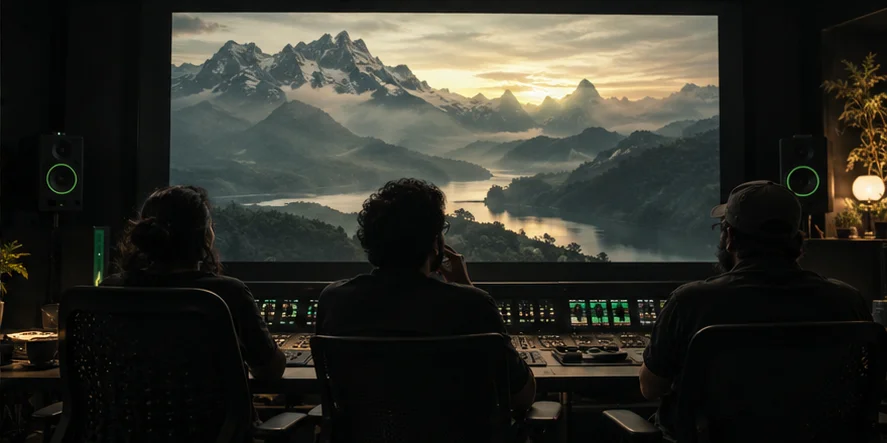
Illustrative production team reviewing a cinematic landscape on a large editing screen.
YouTube & Instagram creators / Content teamsYour story. Across YouTube videos, YouTube Shorts and Instagram Reels.Fictional, illustrative production
Start with
A video idea and channel brief
Plan for
The story and its destination
Create
Video, narration and captions
Publish
Your YouTube and Instagram accounts

YouTube, Shorts & Reels

Build the creative language of your channel

Keep narration, visual treatment and editing decisions connected, so each new video feels deliberate and recognisable to your audience.

A script with a clear promise
Define what the opening asks the viewer to follow, how the middle develops that question and what the ending resolves. The AI Director can turn an outline into a structured script before production starts.
Narration and picture together
Plan the voice, visual references and scene coverage as one sequence. AI Skills help translate the script into camera choices, lighting, pacing and transitions, with a reason for each change of view.
A reusable channel treatment
Carry approved voices, recurring characters and visual references into future videos. A recognisable style comes from recorded decisions about the work, rather than repeatedly asking a model for the same vague aesthetic.

An idea, carried through production

See the work take shape.

Illustrative editing suite with a mountain landscape on its review screen.The idea

01 / YouTube, Shorts & Reels

Give the channel a story to explore.

A fictional channel develops a story about a traveller returning to a mountain town. The brief defines what the viewer should discover, the narration style and the intended video format.

Audience promise
A narrated story about returning to a changed home
Structure
An opening question, a journey and a clear resolution
Format brief
A YouTube master with separately planned YouTube Shorts and Instagram Reels

Fictional, illustrative production. These are prepared examples, not a live generation or a customer case study.

The production flow

Take your video, Short or Reel through production

Review creative preparation yourself or let the AI Director handle it in Auto mode within your chosen scope. Spending, rights, brand/legal clearance and final acceptance remain explicit decisions.

  1. 01
    Describe the video and its audience

    Bring the premise, outline or script, the intended viewer and the channel direction. Choose YouTube video, YouTube Shorts or Instagram Reels, then define the format, approximate length and language. Confirm the production scope rather than assuming any length is automatically supported.

  2. 02
    Develop the script and narration plan

    The AI Director proposes the opening, progression and resolution. It identifies the spoken passages, visual moments and recurring references needed to carry the story. Source material must be owned, cleared or otherwise suitable for the intended use.

  3. 03
    Direct the scenes before rendering

    AI Skills help develop a storyboard and shot plan with deliberate framing, light and pacing. Review the creative preparation or select Auto mode within your scope. Approve the rendering costs before paid generation begins.

  4. 04
    Produce the visual and voice assets

    The AI Director coordinates suitable image, video and speech models around the plan. Check the resulting assets against the script and references, and repair the affected sections when the picture or delivery does not match.

  5. 05
    Assemble and review the channel version

    Assess whether the opening is clear, the narration has room to breathe and the visuals support the story. Check captions, pronunciation and the agreed packaging assets. Review each YouTube Short or Instagram Reel as its own edit, with a clear opening, readable captions and deliberate framing.

  6. 06
    Receive the package and publish

    After final acceptance, take the agreed video files and supporting assets to your YouTube channel or Instagram account. You control uploading, release timing, titles and distribution. Use your own audience feedback to inform the next creative brief.

Your production, ready for handoff

Receive the videos, Shorts and Reels for your release

Explore delivery packages
  • Accepted video master in the agreed format
  • Narration and reviewed caption files as scoped
  • Agreed thumbnail or cover-frame assets
  • Separately reviewed YouTube Shorts and Instagram Reels as scoped
  • Version and rights information for the delivered work

Your channel remains yours to operate. Tosheo’s role is to prepare the agreed production assets, with a clear record of their versions and usage. Uploading and channel management remain separate from the production workflow.

One creative direction. Three ways to tell the story.

YouTube videos
Give the idea room to develop. Plan the opening promise, narration, scene progression and resolution as a connected video. The AI Director can build the script and storyboard around that structure, with the running time and master format agreed before rendering.
YouTube Shorts
Build a short, focused story around one clear beat. Start with a question, action or reveal that makes sense immediately, then choose vertical framing and captions that keep the essential detail readable. Create an original Short or plan a self-contained excerpt from a longer approved video.
Instagram Reels
Shape a compact visual story for your Instagram audience. Plan the opening image, the product or character moment, the pacing and the final action together. The AI Director can adapt approved story assets into a Reel, while preserving visual references and giving the new edit its own review.

A YouTube Short and an Instagram Reel can share source assets without sharing every editing decision. Agree the version for each destination, then check framing, caption placement, pacing, voice and music permissions. A longer YouTube video may need a new opening or a tighter payoff when adapted into short-form content.

For creators with a story and a channel direction

This path suits YouTube storytellers, Instagram creators, social content teams and publishers developing narrative videos, Shorts and Reels. A single video can stand alone, while a recurring channel can reuse approved creative references. For a large interconnected season, the serialized story solution adds a stronger focus on episode arcs and release batches.

Before you begin

Can I turn an existing YouTube video into Instagram Reels and YouTube Shorts?

Bring a video or source assets that you have the right to reuse. Plan the moments to adapt, then agree the production scope. The AI Director can help reshape the opening, scene order, vertical framing and captions for each Short or Reel. Reuse is a creative adaptation, not a guarantee that an automatic crop will work.

Can I begin a YouTube video with only an outline?

Yes. An outline gives the AI Director a starting point for the opening, sequence and narration. Include the audience and what the viewer should understand or feel by the end. The creative plan can be reviewed before you commit to rendering.

Can Tosheo create YouTube videos, YouTube Shorts and Instagram Reels?

Yes. Plan a YouTube video, an original YouTube Short, an Instagram Reel or a set of connected versions in the brief. The AI Director develops the creative plan for the selected destinations. Agree the format, length, captions and delivery scope before production; each version needs its own framing and edit review.

Will Tosheo publish to my YouTube or Instagram account?

No. You receive the agreed production files and publish through your own YouTube or Instagram account. Account access, release timing, audience management and monetisation decisions remain with you.

Can I keep the same narrator across channel videos?

Plan a recurring voice as an approved reference, with the language, pronunciation and usage permission recorded. Audition it on the actual script. Reuse depends on the selected voice’s availability and the rights that apply to it.

Is there a fixed length included for every YouTube video?

No universal running time is promised here. Length, complexity, narration, generation requirements and any excerpts belong in the production scope and cost estimate. Review the published Tosheo plans and confirm the work before authorising paid rendering.

Can the AI Director prepare the video with Auto mode?

Auto mode can handle creative preparation within the scope you choose. You can also review the script and storyboard yourself. Rights, spending and final delivery acceptance remain explicit decisions, and publishing stays under your control.

Another way to tell your story

Independent creators / Publishers / Studios

Serialized Story Production

A recurring cast. An unfolding world. A reason to watch the next episode.

Drama creators / Short-form publishers / Studios

Microdramas

An immediate conflict. A close reaction. A cliffhanger worth resolving.

Brand buyers / Agencies / Production houses

Branded Story Campaigns

A world your brand belongs in. A campaign with somewhere to go next.

Tosheo / Solutions

Bring the idea.
Give it a production home.

Tell us what you want to make, who it is for and where it needs to go. Start with a focused story or campaign brief.

Planning comes before paid rendering. Subscriptions and credit purchases open when Tosheo launches.