02 / ElevenLabs
Where ElevenLabs fits in your story
ElevenLabs fits narration, dialogue drafts and language-track production. Tosheo’s AI Director can connect the script to a character voice, pronunciation guidance and the relevant edit. Local-language review checks meaning and register as well as the sound of a line, so translation remains a storytelling decision.
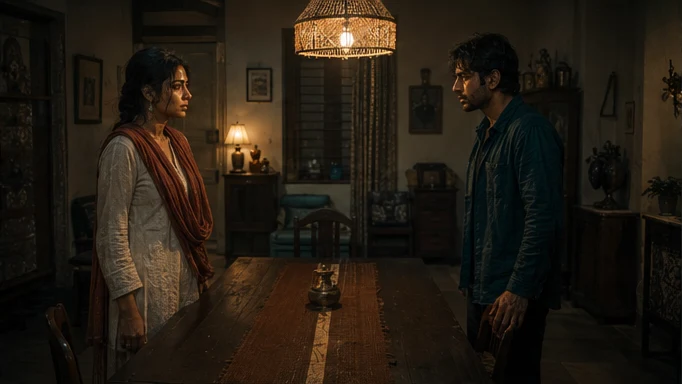
Kabir says Anaya’s name quietly. Keep the hesitation and the relationship intact when adapting the line.
- Script
- Approve the meaning, register and character names.
- Voice
- Audition the selected voice in the intended language.
- Timing
- Fit the pause and line length to the scene’s edit.
03 / ElevenLabs
Plan the ElevenLabs handoff
The AI Director prepares the voice request from the scene plan, using AI Skills to specify the framing, performance or sound intention. You can review creative preparation or use Auto mode within your chosen scope. The model receives a bounded job, with the references and constraints that matter to that asset.
For an independent creator, this connects a creative decision to the next production step. For a publisher, it keeps recurring assets attached to the episode plan. Brand buyers can carry approved product references into the shot; production houses can retain the treatment and handoff requirements across the sequence.
04 / ElevenLabs
One identity, several languages
The approved voice reference is canon in the same way a face is. It travels with the character, it is inherited by every shot, and changing it requires a review.
The part that is specific to voice is that the identity has to survive a change of language. This is why language tracks are declared at greenlight: the voice is chosen against every declared track before it is approved, rather than a second voice being sourced afterwards to match a performance it was never cast for.
- 01Declare the tracks at greenlight
Define the primary language and any additional tracks at greenlight. Confirm the selected voice works in each before approving it.
- 02Cast the voice against all of them
An identity that only holds in one language has failed before production starts.
- 03Record pronunciation as canon
Names, places, regional phrasing and register. Checked in QA rather than re-decided per session.
- 04Review each track natively
A named approver per track. A Hindi reviewer cannot sign for Tamil.
- 05Repair at segment level
A mispronounced line is an audio segment, not a track and not an episode.
05 / ElevenLabs
The permission rules, stated plainly
- No cloned voice of a real person without verified permission
- No celebrity likeness or voice, in any genre, without verified permission
- No voice used outside the territory, term or platform its grant covers
- No deceptive testimonial production
- No removal of synthetic-media disclosure where it is required
Where a permission exists, it is recorded with its territory, term, platform and expiry like any other grant, and the expiry is a date the system holds rather than something a person is expected to remember two years later.
06 / ElevenLabs
Evaluating a voice model in the actual scene
Provider documentation
Capabilities checked against official sources. Story applications are Tosheo’s editorial examples, not comparative benchmarks.
ElevenLabs text-to-speech documentationQuestions before production
Can I clone my own voice?
With verified permission - which, for your own voice, means verifying it is yours - yes, and it is recorded as a grant with a territory, term and expiry. The verification step is not a formality we can skip because the person asking sounds confident.
How do you stop a character sounding different in another language?
By casting the voice against every declared language track before approving it, rather than matching a second voice to a finished first performance. It is the single decision that most determines whether a regional track works, and it is made at greenlight.
Who fixes a mispronounced name?
Pronunciation guidance is canon, so the fix is a canon correction plus a targeted repair of the affected audio segments. The picture, the other tracks and the rest of the episode are untouched.
Is synthetic-media disclosure applied to audio?
Disclosure obligations attach to the deliverable and are checked in the delivery package. For serialized production at launch, captions and synthetic-media disclosure are on by default.
Do you use one voice provider for everything?
Routing considers language coverage and pronunciation credibility per track, so a production can use different providers for different tracks. Whatever is used is recorded in the provenance for each accepted asset.